The Efficiency directory in MapleToolkits contains powerful simulators, calculators, and optimization engines designed to help you determine the most cost-effective ways to increase your character’s damage and combat stats.
Common Modules
Currently, there is one core shared module that coordinates efficiency configurations across different calculators:
Quick Switch
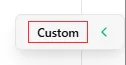
The Quick Switch panel is a convenient sidebar utility. It is accessed by clicking the left-pointing arrow button docked on the right side of the screen. When you are utilizing a Custom Stat Efficiency (CSE) configuration, a red “Custom” badge will appear to the left of the arrow button.
 (Custom Stat Efficiency Indicator shown below)
When expanded, the Quick Switch panel lets you quickly modify and control calculations on the fly:
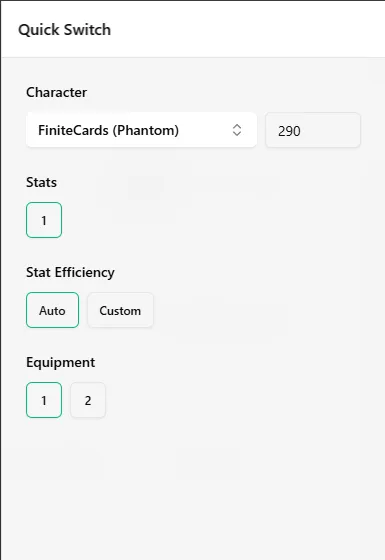
- Character & Level: Quickly change the currently active character profile and adjust their level.
- Stats Set: Instantly switch the active Stats configuration set used for calculations.
- Stat Efficiency: Easily toggle between Auto Stat Efficiency (ASE) and Custom Stat Efficiency (CSE).
- Equipment Set: Rapidly switch the active Equipment configuration set.
Sub-modules
This directory comprises five primary modules:
1. Enhancement
Simulates and calculates the efficiency of star force enhancement, scroll applications, and other gear upgrades.
2. Gear Swapping
Helps you calculate the exact damage difference when swapping between different gear pieces, considering set effect changes and stat distribution.
3. Link Skills
Optimizes your active 12 link skill slots based on your character’s class, stats, and targets to maximize your overall damage output.
4. Hyper Stats
Provides an optimal distribution calculator for your Hyper Stat points to achieve the highest possible damage gain per point spent.
5. HEXA Stats
Calculates the optimal core levels and node upgrade sequences for your 6th job HEXA stats system.