The Hyper Stats Efficiency page is a core utility within MapleToolkits. Its primary purpose is to help you calculate and allocate your character’s Hyper Stat points to maximize combat efficiency and damage output.
By analyzing your character’s current level, stats, and target boss defense, the tool runs a mathematical optimization algorithm to determine the most cost-effective distribution of points, ensuring you get the maximum possible Final Damage % increase.
Prerequisites: Select a Character First
Before using the Hyper Stats tool, you must select an active character profile. The tool requires a character profile to read your current level, determine your total available Hyper Stat points, and establish your baseline stats.
If you have not selected a character, you can do so through the quick selection panel:
- Click the Quick Switch button docked on the right side of the screen.
- Select your desired character profile from the dropdown menu.
- The interface will automatically load and display your character’s level and available points (e.g., Level 282 with 1381 points).
1. The Under-the-Hood Optimization Engine
In MapleStory, Hyper Stats become progressively more expensive to level up. The cost of upgrading a single Hyper Stat increases at each level:
| Level | 1 | 2 | 3 | 4 | 5 | 6 | 7 | 8 | 9 | 10 | 11 | 12 | 13 | 14 | 15 |
|---|---|---|---|---|---|---|---|---|---|---|---|---|---|---|---|
| Point Cost | 1 | 2 | 4 | 8 | 10 | 15 | 20 | 25 | 30 | 35 | 50 | 65 | 80 | 95 | 110 |
| Cumulative Cost | 1 | 3 | 7 | 15 | 25 | 40 | 60 | 85 | 115 | 150 | 200 | 265 | 345 | 440 | 550 |
Because upgrading a stat to higher levels (like Level 11 to 15) requires a massive number of points, a static allocation strategy is inefficient. The MapleToolkits optimizer solves this by evaluating the marginal benefit of each upgrade.
The optimization engine performs the following steps:
- Evaluate Stat Efficiencies: The engine calculates the exact Final Damage % gain that each individual stat level-up would provide based on your current stats.
- Calculate Cost-Benefit Ratio: It divides the Final Damage % gain by the point cost required for that specific level.
- Iterative Allocation: The algorithm repeatedly selects the upgrade with the highest Final Damage % gain per point until all available points are exhausted.
- Boss Defense Context: It factors in your target Boss Defense (e.g., 300% or 380%) to accurately weight the value of Ignore Enemy Defense (IED) relative to other offensive stats.
2. Interface Walkthrough
The Hyper Stats module features an intuitive, side-by-side workspace:
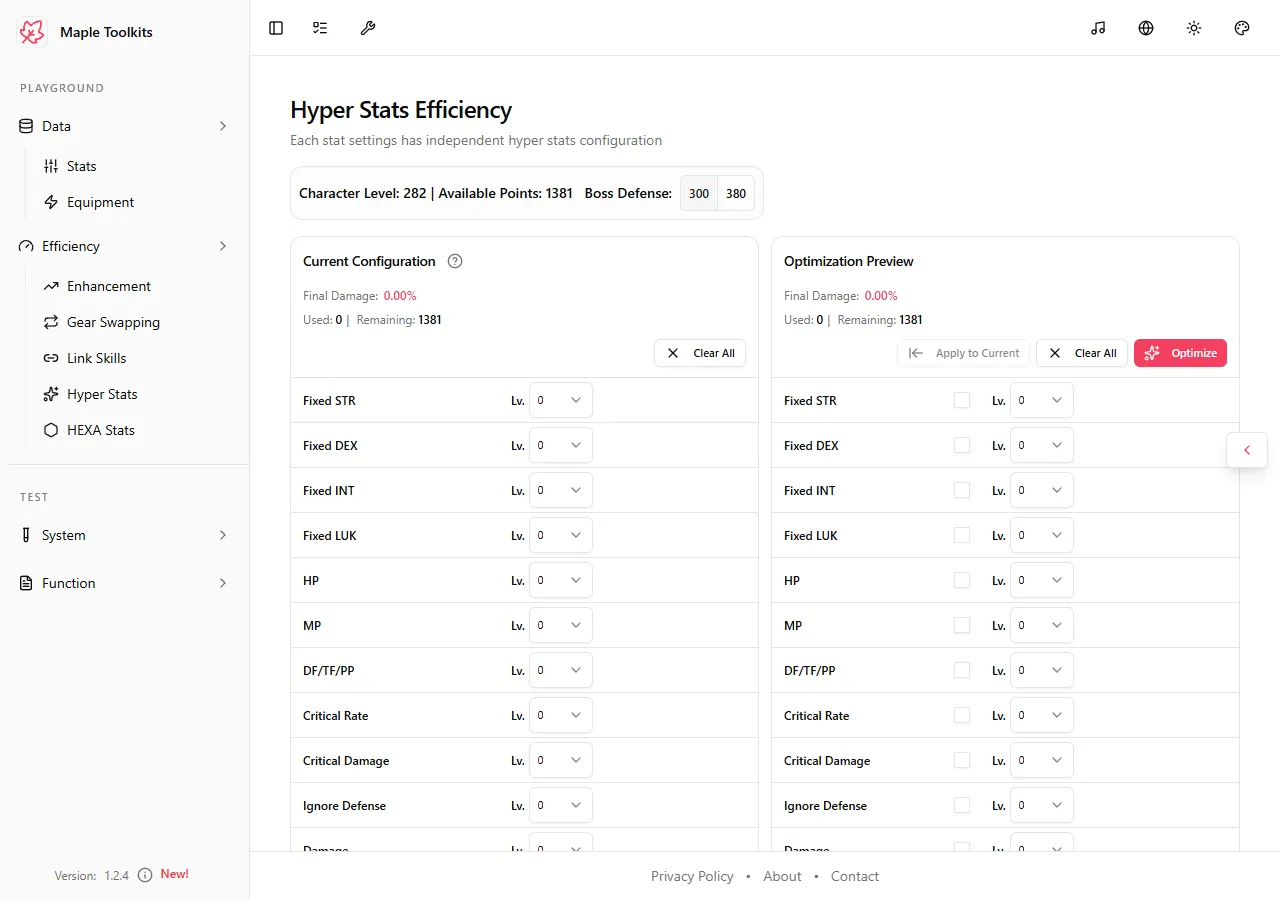 (The initial Hyper Stats interface showing character level, available points, and target boss defense settings)
2.1 Settings Panel (Top)
- Character Level & Points: Displays the active character’s level and the corresponding total available Hyper Stat points.
- Boss Defense: Select between 300 and 380 target Boss Defense. This setting adjusts the calculation weights for Ignore Enemy Defense.
2.2 Current Configuration (Left Column)
Displays your current in-game Hyper Stat point allocation.
- Final Damage %: Shows the total Final Damage increase provided by your current configuration.
- Used & Remaining Points: Displays how many points have been allocated and how many are left.
- Clear All: Resets the current configuration to zero.
2.3 Optimization Preview (Right Column)
Provides a sandbox area where you can run the optimizer and preview the results.
-
Final Damage %: Displays the projected Final Damage increase of the optimized build.
-
Used & Remaining Points: Shows the point utilization of the optimized configuration.
-
Lock Stat Checkbox: Located to the left of the level dropdown for each stat in the grid. Checking this box and selecting a target level will lock/fix that stat to the selected level during optimization.
How it works: If you check the box next to Critical Damage and select Level 10, clicking Optimize will directly set Critical Damage to Level 10, deduct its point cost (150 points) from your available pool, and then optimize the remaining points across the other unlocked stats.
Tip: Use the lock checkbox to secure essential utility or milestone stats (such as locking Critical Rate to guarantee a 100% crit rate, or locking Arcane Power to meet specific region requirements) before running the damage-maximizing optimization algorithm.
-
Action Buttons:
- Optimize: Triggers the mathematical solver to compute the optimal point allocation.
- Apply to Current: Copies the optimized sandbox configuration directly into your character’s active configuration.
- Clear All: Resets the optimization preview sandbox.
3. Supported Hyper Stats
The tool displays and optimizes 17 different Hyper Stats, categorized as follows:
- Primary Stats: Fixed STR, Fixed DEX, Fixed INT, and Fixed LUK.
- Vitality Stats: HP, MP, and DF/TF/PP.
- Combat Stats: Critical Rate, Critical Damage, Ignore Defense, Damage, Boss Damage, Normal Damage, and Att & M.Att.
- Utility Stats: Status Resistance, Experience Obtained, and Arcane Power.
For each stat in the grid, the tool shows:
- The active level (from Level 0 to 15).
- The exact stat value added by that level (e.g.,
+13%Critical Damage). - The specific Final Damage % contribution of that stat under your current stat profile, helping you understand the mathematical reasoning behind the optimizer’s decisions.
4. Practical Example & Analysis
To see the optimizer in action, let us look at a character at Level 282 with 1381 available points and LUK as the main stat:
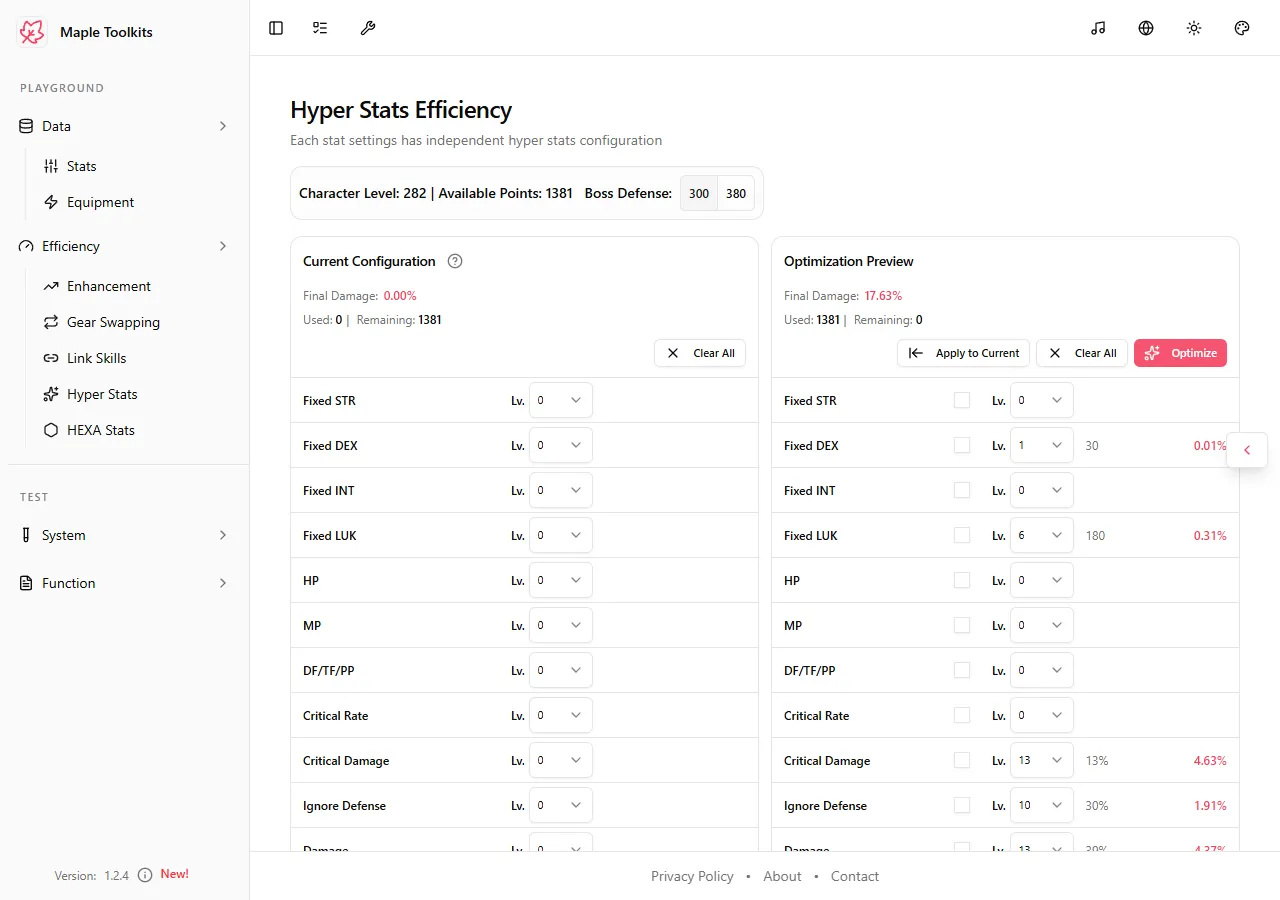 (The optimized Hyper Stats allocation displaying a +17.63% Final Damage gain)
By clicking Optimize, the algorithm allocates all 1381 points to yield a +17.63% Final Damage increase. The resulting distribution is:
- Boss Damage: Level 14 (+51% Boss Damage, contributing +5.71% Final Damage)
- Critical Damage: Level 13 (+13% Critical Damage, contributing +4.63% Final Damage)
- Damage: Level 13 (+39% Damage, contributing +4.37% Final Damage)
- Ignore Defense: Level 10 (+30% Ignore Defense, contributing +1.91% Final Damage)
- Att & M.Att: Level 7 (+21 Attack, contributing +0.69% Final Damage)
- Fixed LUK (Main Stat): Level 6 (+180 LUK, contributing +0.31% Final Damage)
- Fixed DEX (Sub Stat): Level 1 (+30 DEX, contributing +0.01% Final Damage)
- Other Stats: Level 0
Why did the optimizer choose this?
A manual allocation might push Boss Damage or Critical Damage to Level 15. However, upgrading Boss Damage from Level 14 to Level 15 costs 110 points and only yields a minor incremental gain.
The optimizer recognizes that those 110 points are much more valuable when distributed across lower, cheaper levels of other stats, such as getting Fixed LUK to Level 6, Att & M.Att to Level 7, or Fixed DEX to Level 1. This demonstrates the efficiency of using an algorithmic approach over a static guide.
Access the Live Tool
Ready to optimize your Hyper Stat point allocation?
👉 Access the Live Hyper Stats Dashboard
Guide details, assumptions, and verification
Supported scope: MapleStory Global-style Hyper Stat allocations. Last reviewed: July 20, 2026.
Method: The optimizer allocates the available points from the entered character level while honoring locked stats. It maximizes the estimated result for the current profile; it does not decide whether a player should reserve points for a future build, farming, or a specific encounter.
Worked example: Lock Critical Rate at the level needed to reach the desired threshold, then optimize the remaining points. Run a second calculation with the lock removed. The difference shows the estimated opportunity cost of the utility requirement and helps distinguish a player choice from a damage-only recommendation.
Troubleshooting: Confirm character level, available point total, locked values, and selected stats profile. Recalculate after changing any of those inputs.
Sources and updates: Check official MapleStory notices for Hyper Stat changes. Update history: July 20, 2026 — added methodology, example, and troubleshooting.